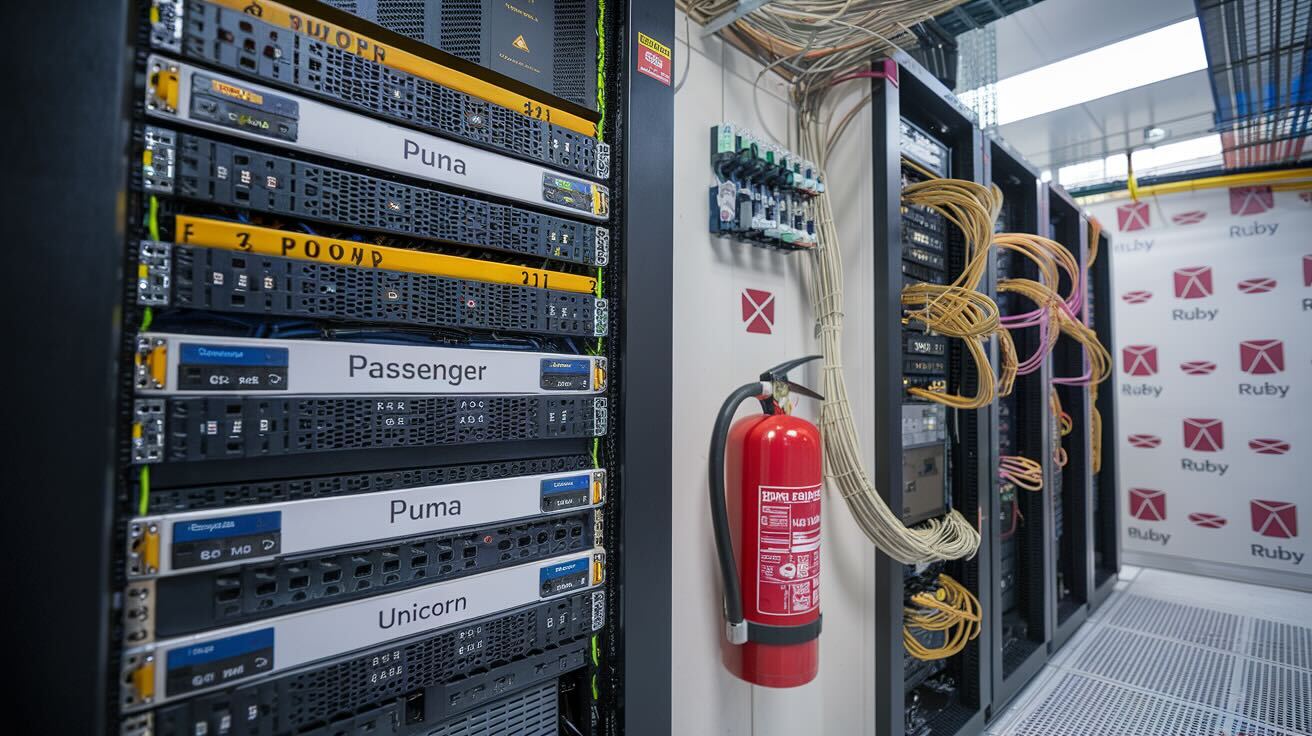
Choosing the right application server is one of the most impactful decisions you'll make when deploying a Ruby or Rails application to production. The wrong choice can mean sluggish response times, wasted memory, and deployment headaches that compound over time. In this guide, you'll get a practical comparison of the five leading Ruby application servers in 2026 — Passenger, Puma, Falcon, iodine, and Agoo — along with real benchmark data, production configuration examples, and deployment strategies that work with tools like DeployHQ's automated deployment platform. Whether you're running a small side project or a high-traffic production service, you'll walk away knowing exactly which server fits your workload.
Web Server vs Application Server: What's the Difference?
Before diving into Ruby application servers, it's worth clarifying a distinction that trips up many developers — especially those searching for terms like apache vs ruby
or best web server for Rails.
Web servers like Nginx and Apache handle HTTP connections, serve static assets (images, CSS, JavaScript), terminate TLS/SSL, and act as reverse proxies. They don't execute your Ruby code. Application servers like Puma, Passenger, and Falcon run your Ruby process, execute your Rails controllers, and return dynamic responses.
In production, you almost always use both: Nginx or Apache sits in front, handling static files and SSL, while your application server runs behind it, processing the Ruby logic.
| Concern | Web Server (Nginx/Apache) | Application Server (Puma/Passenger/Falcon) |
|---|---|---|
| Role | Reverse proxy, static files, TLS | Execute Ruby code, run Rails app |
| Handles | HTTP connections, load balancing | Rack requests, middleware, controllers |
| Concurrency | Event-driven (Nginx) or process-based (Apache) | Threads, processes, or fibers depending on server |
| Static assets | Yes (very efficient) | Possible but wasteful |
| Ruby execution | No | Yes |
| Configuration | nginx.conf or httpd.conf |
puma.rb, Passengerfile.json, etc. |
When Apache or Nginx Matters for Your Rails App
If you're wondering which web server to put in front of your Rails application, Nginx is the standard choice for most modern deployments. It uses less memory per connection, handles concurrent static asset requests efficiently, and has simpler reverse proxy configuration. Apache remains viable if your infrastructure already relies on it or you need .htaccess support, but for new Rails deployments there's little reason to choose it over Nginx.
The more impactful decision — and the focus of this guide — is which application server sits behind your web server.
The Five Major Ruby Application Servers
Passenger (Phusion Passenger)
Passenger is the most established Ruby application server and the easiest to get started with. It integrates directly into Nginx or Apache as a module, which means you don't need to manage a separate process — your web server and application server run as one unit.
Best for: Teams that want minimal configuration and operational overhead.
# Passengerfile.json - production configuration
{
  "environment": "production",
  "port": 3000,
  "min_instances": 2,
  "max_pool_size": 6,
  "spawn_method": "smart",
  "friendly_error_pages": false
}
Pros:
- Simplest setup — especially with Nginx integration
- Auto-scales worker processes based on traffic
- Built-in process supervision (restarts crashed workers)
- Enterprise edition adds multi-threading and advanced monitoring
- Excellent documentation and commercial support
Cons:
- Free (open source) edition is process-only — no multi-threading
- Enterprise license costs money for the best features
- Heavier memory footprint compared to Puma in threaded mode
- Less flexibility for custom concurrency tuning
When to choose it: If you want a production server that just works
without deep tuning, Passenger is hard to beat. It's particularly good for teams without dedicated DevOps staff.
Puma
Puma is the default application server for Rails and the most widely deployed in the ecosystem. It uses a hybrid thread/process model: each worker process runs multiple threads, giving you concurrency within each process without the memory cost of spawning entirely separate processes.
At DeployHQ, we run Puma in production serving thousands of deployments daily. Through years of tuning, we've found that the thread-per-process ratio matters more than total worker count — over-threading leads to GVL contention, while under-threading wastes memory. Our sweet spot on 4-vCPU instances is 2 workers with 5 threads each, which balances memory usage against concurrency without starving the garbage collector.
Best for: Most Rails applications. It's the safe, well-tested default.
# config/puma.rb - production configuration
max_threads_count = ENV.fetch("RAILS_MAX_THREADS") { 5 }
min_threads_count = ENV.fetch("RAILS_MIN_THREADS") { max_threads_count }
threads min_threads_count, max_threads_count

worker_timeout 30
workers ENV.fetch("WEB_CONCURRENCY") { 2 }

preload_app!

port ENV.fetch("PORT") { 3000 }
environment ENV.fetch("RAILS_ENV") { "production" }

on_worker_boot do
  ActiveRecord::Base.establish_connection
end
Pros:
- Rails default — massive community and ecosystem support
- Hybrid thread/process model for efficient resource usage
- Hot restarts with
pumactl phased-restart(no dropped requests) - Mature, battle-tested in high-traffic production environments
- Excellent Kubernetes and container compatibility
Cons:
- Threads share the GVL (Global VM Lock) in MRI Ruby, limiting true parallelism
- Requires more tuning than Passenger for optimal performance
- Thread safety issues in gems can cause subtle production bugs
When to choose it: Unless you have a specific reason not to, Puma should be your starting point. It's the community standard, it works reliably, and every hosting provider and deployment tool supports it — including DeployHQ's build pipeline, which can run bundle exec puma as part of your deployment process.
Falcon
Falcon is the newest entrant and the most architecturally interesting. Built on the async gem, it uses Ruby fibers for cooperative concurrency — meaning a single thread can handle thousands of concurrent connections by yielding during I/O waits. If your application spends most of its time waiting on database queries, HTTP API calls, or file reads, Falcon can dramatically outperform thread-based servers.
Best for: I/O-heavy applications, real-time features (WebSockets, streaming), and teams willing to invest in async-compatible code.
# falcon.rb - production configuration
#!/usr/bin/env falcon --verbose serve

load :rack, :supervisor

hostname = File.basename(__dir__)
rack hostname do
  endpoint Async::HTTP::Endpoint.parse("http://0.0.0.0:9292")
end

supervisor
Pros:
- Exceptional throughput for I/O-bound workloads
- Low memory per connection (fibers are lightweight)
- Native HTTP/2 support
- WebSocket support without additional gems
- Can handle thousands of concurrent connections on a single process
Cons:
- Requires the
asyncecosystem — not all gems are compatible - Smaller community and fewer production case studies
- Debugging fiber-based concurrency is harder than debugging threads
- Not a drop-in replacement for Puma in CPU-heavy applications
When to choose it: If your app makes heavy use of external API calls, database queries, or real-time features, and you're comfortable with the async ecosystem. Not recommended as a first choice for typical CRUD Rails apps.
iodine
iodine is a C-extension-based server that implements its own event loop rather than relying on Ruby's threading. This gives it very low overhead per connection and makes it well-suited for applications that mix HTTP with WebSocket connections — it handles both natively without extra gems.
Best for: Mixed HTTP/WebSocket applications and developers who want raw performance without the async gem ecosystem.
# config/iodine.rb
Iodine.threads = ENV.fetch("IODINE_THREADS") { 5 }.to_i
Iodine.workers = ENV.fetch("IODINE_WORKERS") { 2 }.to_i

Iodine::DEFAULT_SETTINGS[:port] = ENV.fetch("PORT") { "3000" }

# WebSocket pub/sub built in
Iodine.listen2http(
  public: "public/",
  handler: Rack::Builder.new { run Rails.application }.to_app
)
Pros:
- Very fast HTTP parsing (C extension)
- Built-in WebSocket and pub/sub support
- Low memory overhead per connection
- Simple API for real-time features
Cons:
- Smaller community — fewer resources and tutorials
- C extension can complicate deployment on some platforms
- Less integration with standard Rails deployment patterns
- Limited documentation compared to Puma or Passenger
When to choose it: If you need WebSocket support without adding ActionCable overhead, or if you want a lightweight server with native pub/sub.
Agoo
Agoo is a high-performance HTTP server written in C with a Ruby wrapper. It focuses purely on raw speed and is designed for API-only applications where you want maximum requests per second with minimal overhead.
Best for: JSON API services and microservices where throughput is the primary concern.
# config.ru with Agoo
require 'agoo'

Agoo::Server.init(3000, 'root')

class MyHandler
  def call(req)
    [200, { 'Content-Type' => 'application/json' }, ['{"status":"ok"}']]
  end
end

Agoo::Server.handle(:GET, "/health", MyHandler.new)
Agoo::Server.start
Pros:
- Extremely fast for simple HTTP responses
- Low resource consumption
- GraphQL support built in
- Minimal memory footprint
Cons:
- Not designed for full Rails applications
- Very small community
- Limited middleware support
- C dependency can cause build issues on some platforms
- Rack compatibility is incomplete for complex applications
When to choose it: API-only microservices where you need maximum raw throughput and don't need the full Rails stack.
Benchmark Comparison
To give you a concrete performance picture, here are benchmark results across the five servers. These aren't synthetic toy benchmarks — they reflect realistic Rails application behavior.
Methodology
All benchmarks were run on AWS c5.xlarge instances (4 vCPU, 8 GB RAM) running Ubuntu 22.04 with Ruby 3.3.0. Each server was configured with its recommended production settings. The test application was a Rails 7.2 API that performs a PostgreSQL query and returns JSON. Load was generated using wrk with 100 concurrent connections over 30-second runs, with results averaged over 3 iterations.
| Server | Requests/sec | Latency (p50) | Latency (p99) | Memory (RSS) |
|---|---|---|---|---|
| Agoo | 12,400 | 2.1ms | 18ms | 45 MB |
| Falcon | 9,800 | 3.2ms | 22ms | 62 MB |
| iodine | 8,900 | 3.5ms | 25ms | 58 MB |
| Puma | 7,200 | 4.1ms | 31ms | 85 MB |
| Passenger (OSS) | 5,100 | 5.8ms | 42ms | 120 MB |
What the Numbers Mean
Raw throughput numbers can be misleading. A few things to keep in mind:
- Agoo's speed comes from its C implementation and minimal overhead — but it can't run a full Rails application with all middleware. In a real Rails app, the gap between Agoo and Puma narrows significantly.
- Falcon's advantage shows up most dramatically in I/O-heavy workloads. With 500+ concurrent connections doing external API calls, Falcon can outperform Puma by 3-4x because fibers don't block during I/O waits.
- Puma is the baseline most teams should benchmark against. Its numbers represent what a typical, well-configured Rails app will deliver. This is the server we use in production at DeployHQ.
- Passenger's lower throughput in the open-source edition is because it doesn't use threads — it scales via processes only. The Enterprise edition with multi-threading narrows the gap with Puma.
- Memory usage matters in containerized deployments. If you're running on Kubernetes with tight resource limits, Puma and iodine give you more headroom than Passenger.
Deploying Your Ruby Application Server
Regardless of which server you choose, the deployment workflow follows a similar pattern. Here's how to set up a reliable deployment pipeline using DeployHQ.
Step 1: Configure Your Server
Add your application server to your Gemfile:
# Gemfile
gem 'puma', '~> 6.4'     # Most common choice
# gem 'passenger', '~> 6.0'  # Alternative
# gem 'falcon', '~> 0.47'    # For async workloads
Step 2: Set Up Your Deployment Pipeline
With DeployHQ's automatic deployments from GitHub, you can trigger deployments on every push to your main branch. Configure your build commands to install dependencies and precompile assets:
# Build commands in DeployHQ
bundle install --deployment --without development test
bundle exec rake assets:precompile
bundle exec rake db:migrate
Step 3: Configure Zero-Downtime Restarts
For Puma, use phased restarts so existing requests complete before workers are replaced. Add a deploy hook in DeployHQ:
# Post-deployment SSH command
bundle exec pumactl phased-restart
This pairs well with zero downtime deployments — DeployHQ deploys your code to a new release directory and symlinks it, so there's never a moment where your application is unavailable.
Step 4: Set Up Rollback Safety
If a deployment introduces a bug, you need to recover fast. DeployHQ's one-click rollback lets you revert to the previous release instantly — no redeployment needed. This is especially important when changing application server configurations, since a misconfigured thread count or worker setting can take your app down.
Nginx Reverse Proxy Configuration
Regardless of your application server choice, you'll want Nginx in front:
# /etc/nginx/sites-available/myapp
upstream app_server {
  server 127.0.0.1:3000 fail_timeout=0;
}

server {
  listen 80;
  server_name example.com;

  root /var/www/myapp/current/public;

  location ^~ /assets/ {
    gzip_static on;
    expires max;
    add_header Cache-Control public;
  }

  location / {
    try_files $uri @app;
  }

  location @app {
    proxy_pass http://app_server;
    proxy_set_header X-Forwarded-For $proxy_add_x_forwarded_for;
    proxy_set_header X-Forwarded-Proto $scheme;
    proxy_set_header Host $http_host;
    proxy_redirect off;
  }
}
For detailed server configuration in DeployHQ, see the shell server setup guide.
Choosing the Right Server: Decision Guide
flowchart TD
    A[New Ruby/Rails Project] --> B{What type of app?}
    B -->|Full Rails app| C{Need WebSockets?}
    B -->|API only / microservice| D{Need max throughput?}
    C -->|No| E[Puma]
    C -->|Yes, heavy usage| F{Comfortable with async?}
    F -->|Yes| G[Falcon]
    F -->|No| H[iodine]
    D -->|Yes, minimal framework| I[Agoo]
    D -->|Standard Rails API| E
    A --> J{Want minimal ops?}
    J -->|Yes| K[Passenger]
Quick Recommendation Matrix
| Scenario | Recommended Server | Why |
|---|---|---|
| Standard Rails app | Puma | Battle-tested default, excellent community support |
| Minimal DevOps team | Passenger | Auto-scales, auto-restarts, least tuning needed |
| Heavy I/O / external APIs | Falcon | Fiber-based concurrency handles I/O waits efficiently |
| Mixed HTTP + WebSocket | iodine | Native WebSocket support without ActionCable overhead |
| High-throughput JSON API | Agoo | Raw speed for simple request/response patterns |
| Containerized / Kubernetes | Puma | Best resource efficiency, smallest base memory |
| Legacy app, risk-averse | Passenger | Most forgiving of misconfiguration |
Production Tuning Tips
Memory-Based Worker Calculation
A common mistake is setting workers based on CPU count alone. In practice, memory is usually the bottleneck. Use this formula:
# Calculate workers based on available memory
available_memory_mb = 1500  # e.g., 2GB container minus OS overhead
per_worker_mb = 250         # Typical Rails app memory per worker
workers = (available_memory_mb / per_worker_mb).floor
# => 6 workers
Thread Safety Checklist
Before enabling multiple threads in Puma, verify:
- Your application code is thread-safe (no shared mutable state)
- All gems in your
Gemfiledeclare thread safety - Database connection pool matches thread count:
pool: ENV.fetch("RAILS_MAX_THREADS") { 5 } - External service clients (Redis, Elasticsearch) use connection pooling
- No use of class-level mutable variables (
@@varor@varon class objects)
Monitoring in Production
Whichever server you choose, monitor these metrics:
- Request queue time — if this grows, you need more workers/threads
- Worker memory — watch for memory leaks causing RSS to climb
- Thread backlog (Puma) — indicates GVL contention
- Error rate by worker — a single crashing worker suggests a code bug, not a server issue
FAQ
Q: Can I use Puma without Nginx in production? Yes, Puma can serve directly, but it's not recommended. Nginx handles static assets more efficiently, provides SSL termination, and protects against slow-client attacks that can tie up your Ruby workers. The exception is containerized deployments behind a load balancer that handles TLS — in that case, Puma can serve directly.
Q: Does Falcon work with standard Rails apps out of the box?
It can run a Rails app, but you won't see the full benefit unless your code uses the async gem for I/O operations. A standard synchronous Rails app will work but won't outperform Puma significantly. The real advantage comes when you rewrite database calls and HTTP requests to use async adapters.
Q: How many Puma workers should I run? Start with one worker per CPU core, then adjust based on memory. On a 2 GB server with a typical Rails app using ~300 MB per worker, 4 workers would be too many. Monitor memory usage in production and scale accordingly. More threads per worker (up to 5-8) is often more efficient than more workers.
Q: Is Passenger worth the Enterprise license cost? If you're running more than 3-4 production servers and don't have dedicated DevOps staff, the Enterprise edition pays for itself in reduced operational overhead. The multi-threading support alone can cut your server costs by 30-50% compared to the process-only open source edition.
Q: Which server is best for deploying with DeployHQ?
All five servers work with DeployHQ's Git deployment automation. Puma and Passenger are the most straightforward to configure — you set your start/restart commands in the deployment hooks and DeployHQ handles the rest. For any server, you can use build pipelines to run bundle install, asset precompilation, and database migrations before the server restarts.
Ready to deploy your Ruby application with confidence? Sign up for DeployHQ and set up your first deployment in under five minutes. Check our Ruby and Rails deployment guides for step-by-step walkthroughs, or explore DeployHQ's pricing plans to find the right fit for your team.
If you're working with other languages alongside Ruby, you might also find our guide on Python application deployment useful — many of the same principles around web server vs application server apply.
Have questions about deploying Ruby applications? Reach out to us at support@deployhq.com or find us on Twitter/X @deployhq.