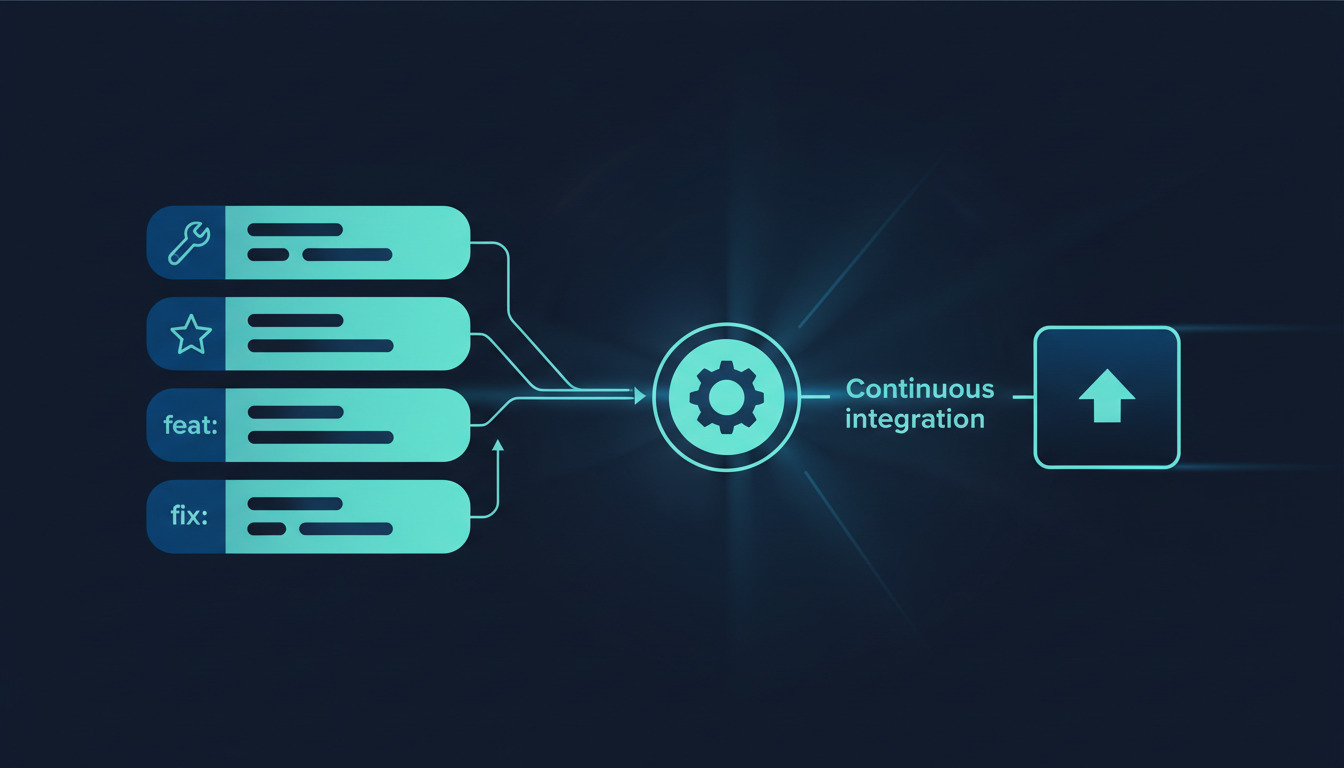
If you have ever dug through a Git log trying to understand what changed and why, you know the pain of inconsistent commit messages. fixed stuff
, updates
, WIP
-- these tell you nothing. Conventional Commits solves this by giving your team a shared vocabulary for describing changes, and it unlocks powerful automation: changelogs that write themselves, versions that bump automatically, and CI/CD pipelines that know exactly what type of change just landed.
We adopted Conventional Commits at DeployHQ several years ago, and the difference was immediate. Code reviews got faster because the commit type told reviewers what to expect. Releases became predictable because tooling could determine version bumps from commit history alone. This guide covers everything you need to adopt the convention, enforce it, and wire it into your deployment pipeline.
What Are Conventional Commits?
Conventional Commits is a specification that adds a lightweight structure to commit messages. It was inspired by the Angular commit convention but has evolved into its own open standard. The core idea is simple: prefix every commit message with a type that describes the nature of the change, optionally scoped to a specific module, followed by a concise description.
The current specification is v1.0.0, and it is deliberately small -- the whole official specification fits on a single page. That constraint is the point: a rule set narrow enough that every developer memorises it in an afternoon, yet structured enough that machines can parse it reliably. Everything below maps directly to that spec, with the enforcement and release tooling we actually run in production.
The format ties directly into Semantic Versioning -- a feat commit triggers a minor version bump, a fix triggers a patch, and a breaking change triggers a major bump. This connection between commit messages and version numbers is what makes the whole ecosystem of changelog generators and release automation possible.
The Commit Message Format
Every conventional commit follows this structure:
<type>(<optional scope>): <description>

<optional body>

<optional footer(s)>
Types
Here are the standard types and when to use each:
| Type | Purpose | Version impact |
|---|---|---|
feat |
A new feature visible to users | Minor bump |
fix |
A bug fix | Patch bump |
docs |
Documentation only | No release |
style |
Formatting, semicolons, whitespace -- no logic change | No release |
refactor |
Code restructuring without changing behaviour | No release |
perf |
Performance improvement | Patch bump |
test |
Adding or updating tests | No release |
build |
Build system or external dependency changes | No release |
ci |
CI/CD configuration changes | No release |
chore |
Maintenance tasks (dependency updates, tooling) | No release |
revert |
Reverts a previous commit | Depends on what was reverted |
feat and fix are the only two types the base specification mandates; everything else is an established convention that the @commitlint/config-conventional preset ships with by default. The revert type is a common source of confusion -- the spec treats it as a normal commit whose footer references the SHA(s) being reverted (Refs: <hash>), and the version impact mirrors whatever change is being undone.
Scope
The scope is optional but valuable when your codebase has clear modules. It goes in parentheses after the type:
feat(auth): add OAuth2 PKCE flow for mobile clients
fix(api): return 404 instead of 500 for missing resources
Description
Write the description in imperative mood (add feature
not added feature
), keep it under 72 characters, and make it specific. Fix bug
is useless. Fix race condition in deployment queue processing
tells you exactly what happened.
Body and Footer
The body is where you explain why the change was made, not what changed (the diff shows that). The footer is reserved for metadata like issue references and breaking change notices.
Real-World Examples
Here are commit messages from real projects -- not the sanitised textbook examples:
feat(deploy): add rollback confirmation prompt before reverting production

fix(webhooks): prevent duplicate delivery when GitHub sends retry headers

perf(assets): switch to Brotli compression for static files, ~40% smaller

refactor(queue): replace polling with Redis pub/sub for job notifications

docs(api): add rate limiting section to REST API reference

ci(github): add Node 20 to test matrix, drop Node 16

chore(deps): bump express from 4.18.2 to 4.21.0

test(auth): add integration tests for SSO SAML flow edge cases
Notice how each one tells you the type, the area affected, and the specific change. You can scan a log of these and understand a release in seconds.
Breaking Changes
Breaking changes deserve special attention because they signal to consumers that they need to update their code. There are two ways to mark them:
The ! Notation
Add ! after the type (and scope, if present):
feat!: remove v1 API endpoints

feat(auth)!: require API key header on all endpoints
The BREAKING CHANGE Footer
For more detailed breaking change descriptions, use the footer:
refactor(config): migrate from JSON to YAML configuration

BREAKING CHANGE: Configuration files must be converted from .json
to .yaml format. Run `node scripts/migrate-config.js` to convert automatically.
Both approaches trigger a major version bump. Use the ! notation for simple breaks, and the footer when you need to explain migration steps. You can also combine them for maximum visibility.
A well-marked BREAKING CHANGE is only useful if the release around it is coordinated. When the change touches a public API, pair the commit convention with a deliberate rollout -- our guide to rolling out breaking changes safely covers versioning schemes and deprecation windows that keep consumers from being surprised.
Setting Up Enforcement with commitlint and Husky
Conventions only work if they are enforced. Relying on code review to catch bad commit messages is slow and inconsistent. Instead, use commitlint to validate messages automatically and Husky to run the check on every commit.
Install the dependencies
npm install --save-dev @commitlint/cli @commitlint/config-conventional husky
Configure commitlint
Create commitlint.config.js at your project root:
// commitlint.config.js
module.exports = {
  extends: ['@commitlint/config-conventional'],
  rules: {
    'type-enum': [2, 'always', [
      'feat', 'fix', 'docs', 'style', 'refactor',
      'perf', 'test', 'build', 'ci', 'chore', 'revert'
    ]],
    'subject-case': [2, 'never', ['start-case', 'pascal-case', 'upper-case']],
    'header-max-length': [2, 'always', 100],
    'body-max-line-length': [2, 'always', 200],
  },
};
Set up Husky
npx husky init
echo "npx --no -- commitlint --edit \$1" > .husky/commit-msg
Now try a non-conforming commit:
git commit -m "fixed things"
# => Error: subject may not be empty
# => type may not be empty
And a valid one:
git commit -m "fix(deploy): resolve timeout on large file transfers"
# => Commit passes validation
This catches mistakes before they reach your remote repository. If you are working with a team that uses pull request best practices, commitlint ensures every commit in the PR already conforms to the convention.
Automating Changelogs with semantic-release
Once every commit follows the convention, you can generate changelogs and version bumps automatically. semantic-release analyses your commit history since the last release and determines the next version number:
fixcommits produce a patch release (1.0.0 -> 1.0.1)featcommits produce a minor release (1.0.0 -> 1.1.0)BREAKING CHANGEcommits produce a major release (1.0.0 -> 2.0.0)
npm install --save-dev semantic-release @semantic-release/changelog @semantic-release/git
Add to your package.json:
{
  "release": {
    "branches": ["main"],
    "plugins": [
      "@semantic-release/commit-analyzer",
      "@semantic-release/release-notes-generator",
      "@semantic-release/changelog",
      "@semantic-release/npm",
      ["@semantic-release/git", {
        "assets": ["CHANGELOG.md", "package.json"],
        "message": "chore(release): ${nextRelease.version}\n\n${nextRelease.notes}"
      }]
    ]
  }
}
This removes the human from the versioning decision entirely. No more debates about whether a change is a patch or a minor -- the commit type decides.
Once your commit types are driving version numbers, the natural next step is to let them drive deployments too. Connect your repository to DeployHQ and every release-worthy commit can trigger a build and deploy automatically -- no manual version tagging, no which commit shipped?
archaeology.
CI/CD Enforcement
Local hooks can be bypassed with --no-verify. For team-wide enforcement, add a CI check. Here is a GitHub Actions workflow:
# .github/workflows/commitlint.yml
name: Lint Commits
on: [pull_request]

jobs:
  commitlint:
    runs-on: ubuntu-latest
    steps:
      - uses: actions/checkout@v4
        with:
          fetch-depth: 0
      - uses: actions/setup-node@v4
        with:
          node-version: 20
      - run: npm install --save-dev @commitlint/cli @commitlint/config-conventional
      - run: npx commitlint --from ${{ github.event.pull_request.base.sha }} --to ${{ github.event.pull_request.head.sha }}
Combine this with branch protection rules that require the check to pass before merging, and no non-conforming commit can reach your main branch. This commit-lint step is one gate in a larger release flow -- if you are still assembling that flow, our complete guide to CI/CD pipelines walks through how the validation, build, and deploy stages fit together.
Integrating with Deployment Pipelines
Conventional commits become even more powerful when they inform your deployment process. Instead of deploying on every push, you can deploy selectively based on what changed.
flowchart LR
    A[git commit] --> B[commitlint validates]
    B --> C[CI checks pass]
    C --> D[changelog generated]
    D --> E[version bumped]
    E --> F[deploy triggered]
For example, a docs commit does not need a production deployment. A feat or fix commit does. You can configure your build pipeline to parse the latest commit message and decide whether to trigger a full deployment or skip it.
If you use DeployHQ's automated Git deployments, you can set up build commands that inspect commit messages:
# build-check.sh -- skip deployment for non-release commits
COMMIT_MSG=$(git log -1 --pretty=%B)
if echo "$COMMIT_MSG" | grep -qE "^(docs|style|test|ci|chore)"; then
  echo "Non-release commit type detected, skipping deployment"
  exit 1  # Non-zero exit skips the deployment in DeployHQ
fi
echo "Release-relevant commit, proceeding with deployment"
This works especially well when you deploy from GitHub -- every push triggers a webhook, but your build script decides whether the deployment actually proceeds.
Monorepo and Scope Conventions
In monorepo setups, scopes become essential for routing changes to the right package. Establish a scope convention that maps directly to your directory structure:
feat(web): add dark mode toggle to settings page
fix(api): handle null response from payment gateway
perf(shared): memoize expensive config parsing in shared utils
ci(infra): add Terraform plan check to PR workflow
Document your scopes in a CONTRIBUTING.md so new team members know the vocabulary. Tools like commitizen provide an interactive prompt that lists available scopes, eliminating guesswork.
Common Mistakes and How to Avoid Them
Using the wrong type. A refactor that also fixes a bug is a fix, not a refactor. The type describes the outcome for users, not the technique you used.
Scope inconsistency. If half your team writes feat(authentication) and the other half writes feat(auth), your changelogs will split related changes into separate sections. Pick one and enforce it in your commitlint config.
Overly vague descriptions. Fix issue
or Update code
are worse than no convention at all because they create a false sense of structure. Be specific: Fix race condition in webhook retry logic.
Forgetting the BREAKING CHANGE footer. If your change requires consumers to update their code, you must flag it. Automated tooling cannot detect breaking changes from code alone -- it relies on you to declare them.
Giant commits with mixed types. A commit that adds a feature, fixes two bugs, and updates documentation should be split into separate commits. Each commit message should describe exactly one logical change.
Conventional Commits vs Other Conventions
| Convention | Structure | Automation | Adoption |
|---|---|---|---|
| Conventional Commits | type(scope): description |
Full (changelogs, versioning, CI) | Widely adopted, tooling-rich |
| Angular Convention | type(scope): description |
Similar (Conventional Commits is derived from this) | Angular ecosystem |
| Gitmoji | :emoji: description |
Limited (emoji-based categorisation) | Popular in open source |
| Freeform | Whatever you want | None | Default when no convention is set |
Conventional Commits is the right choice for most teams because of its tooling ecosystem. Gitmoji is fun but harder to parse programmatically. The Angular convention is effectively the same thing -- Conventional Commits standardised it into a broader specification. Freeform works for solo projects but falls apart the moment a second person touches the code.
Getting Your Team to Actually Follow It
Tooling enforcement is only half the battle. Here are practical approaches that helped us:
Add commitizen for interactive commits. Running
npx czwalks developers through the format with prompts. This is especially helpful for onboarding.Make it part of your Git branching strategy. If you use feature branches, enforce the convention on squash merge messages so the main branch always has clean history. Teams that practise trunk-based development instead of Gitflow get even more mileage from this, because the squashed commit on
mainbecomes the single, well-formed record of each change.Show the value. The first time your team sees an auto-generated changelog that perfectly summarises a sprint, the convention sells itself.
When using AI coding tools like Claude Code with Git, configure them to follow Conventional Commits. Most AI assistants can be instructed to format their commit messages according to the spec.
Conclusion
Conventional Commits is one of those rare practices where the upfront cost is minimal and the compounding returns are significant. You get readable history, automated changelogs, predictable versioning, and smarter deployment pipelines -- all from a simple prefix on your commit messages.
Start with commitlint and Husky. Once your team sees how clean the commit log becomes, add semantic-release for automated versioning. Then wire it into your deployment pipeline so only release-worthy commits trigger builds.
Ready to let commit types drive real deployments? Compare DeployHQ plans and start for free and connect your repository in minutes.
If you have questions or need help setting up Conventional Commits with DeployHQ, reach out to us at support@deployhq.com or on Twitter/X.